Reverse IP lookup for website visitors, honestly
Last updated 2026-11-01 · by Venu Gopal Reddy Muvva, founder
Reverse IP lookup identifies the organization behind a network address. It cannot identify individuals or tie home broadband to a specific company. We show you an honest match rate so you know what data is reliable.
Steps
- Install the pixel. Paste the script tag on your website to start collecting visit data.
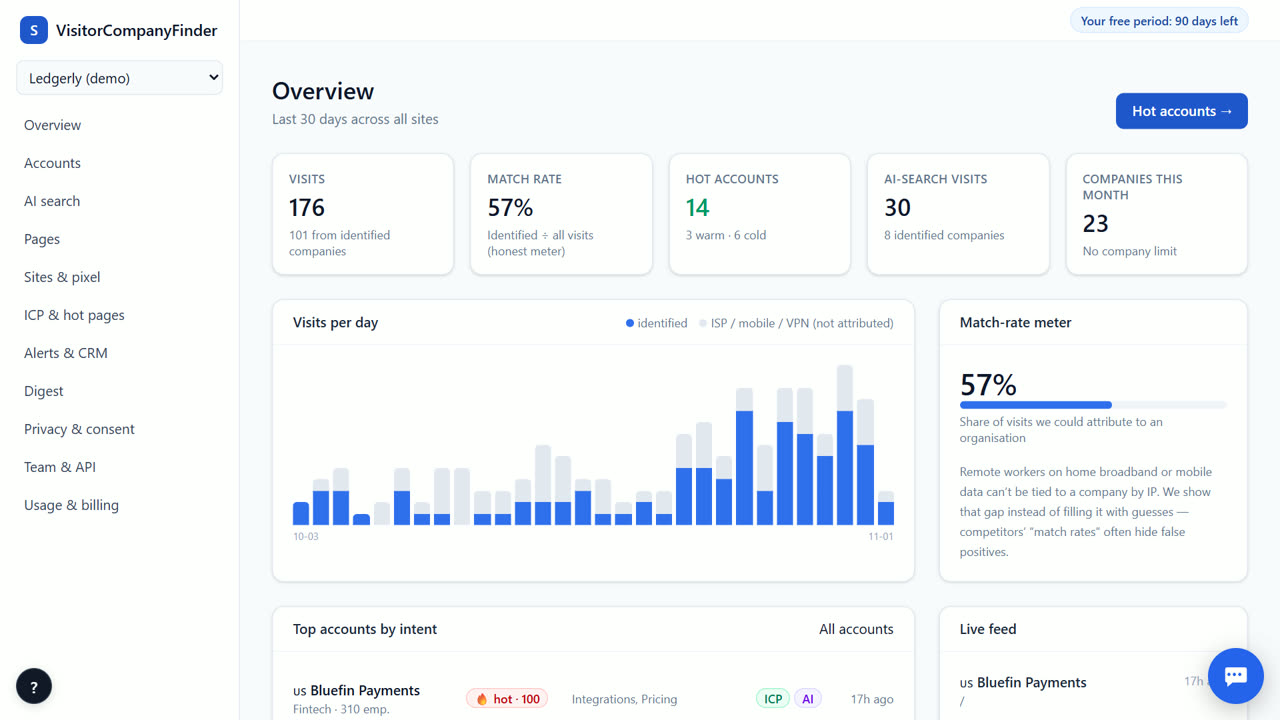
- View the match rate. Check the meter in your dashboard to see the percentage of visits tied to companies.
- Filter unattributed traffic. Review how home, mobile, and cloud visits are excluded from company identification.
- Review identified accounts. Look at the list of companies and their intent scores in the Accounts tab.
How reverse IP works
When a visitor loads your page, the pixel reports the visit and our server sees the network address (IP) it came from. We look up which organisation owns that network, for IPv4 and IPv6. This works for companies with their own corporate networks. It does not work for people on home internet, mobile data or VPNs. When a licensed data vendor answers a lookup, the result is cached for the whole /24 (IPv4) or /48 (IPv6) range, so repeat visits cost nothing. The organisation is identified, never the person.
Why some visits are unattributed
Home broadband, mobile data, VPNs, and cloud hosts use IP ranges shared by many people. We cannot honestly link these to a single company. Guessing would give you wrong data. Instead, we filter these visits out of your company list. They are counted in your total traffic but marked as unattributed. This keeps your data clean and accurate.
The match-rate meter
Your dashboard shows a meter for match rate. This tells you the share of visits we could tie to a company. A low match rate is normal for sites with many individual visitors. It does not mean the tool is broken. It means most traffic comes from networks we cannot identify. Use this meter to set realistic expectations for your sales team.
Current data status
Company names currently come from demo IP data. A licensed IP-to-company dataset is not available yet. Until that connection is made, real visitors are counted but mostly show as unattributed. You will see the structure of the tool and how filtering works. Once the licensed data is connected, you will get accurate company names for corporate IP ranges.
When VisitorCompanyFinder is not the right tool
This tool is not for identifying individual people. If you need the name of a specific employee who visited your site, look at RB2B or Vector, which offer person-level identification for US visitors. If you need a large company database today, Dealfront (Leadfeeder) has its own. VisitorCompanyFinder focuses on honest company-level intent, and it never turns home or mobile visitors into accounts.
Questions
Can I see who visited my site?
You can see which companies visited, not individual people. We identify the organization behind the IP address. Individual identification is not offered by design to protect privacy.
Why is my match rate low?
A low match rate usually means many visitors use home broadband, mobile data, or VPNs. These networks are shared and cannot be tied to one company. We filter these out to avoid guessing.
Is the company name data accurate?
Currently, company names come from demo IP data. A licensed dataset is coming soon. Until then, real visitors are counted but often show as unattributed. The tool structure is ready for real data.
Does this work for mobile visitors?
Mobile visits are detected and counted in total traffic. However, they are filtered out of company identification because mobile networks are shared. You cannot tie a mobile visit to a specific company.
Related
- How to identify companies visiting your website
- GDPR-compliant website visitor identification
- VisitorCompanyFinder vs Dealfront (Leadfeeder)
- Pricing: 3 months free, then at cost
No card needed. Questions? Ask our assistant (bottom right).